Multi-Dimensional Authentication
Temporal QR Authentication adds a time dimension to traditional QR code security, distributing authentication data across multiple frames displayed in rapid succession. This creates an authentication mechanism that is highly resistant to cloning, replay attacks, and screen capture.
Frame Collection System
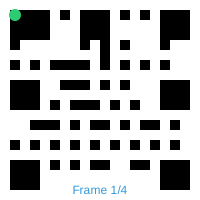
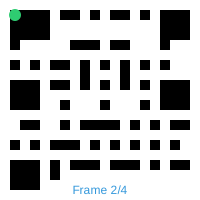
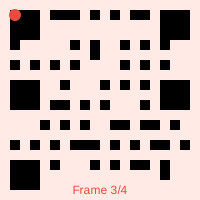
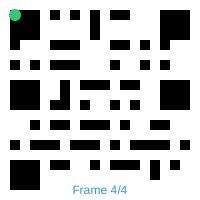
See how the device collects and validates multiple frames to ensure security.
Security Benefits
Anti-Cloning Protection
Traditional QR codes can be photographed and replayed. Temporal QR authentication requires capturing multiple frames within a specific time window, making simple photography ineffective.
Replay Attack Resistance
Each temporal QR authentication session has strict time-binding with frame-specific tokens. Sessions expire quickly, and replaying captured frames from previous sessions is ineffective.
Time-Dimensional Security
Authentication operates across temporal dimensions, requiring precise timing coordination between frames. Each frame has cryptographic time-binding that creates a unique security matrix impossible to replicate without real-time access.
Device-Native Integration
Deep integration with device hardware through Trusted Execution Environment (TEE), Secure Enclave, and native biometric systems. Authentication keys are generated and stored in hardware security modules that cannot be extracted or cloned.
Hardware Binding
Authentication is tied to physical hardware via Trusted Execution Environment (TEE) or Secure Enclave, using react-native-biometrics to create device-bound keys that cannot be extracted.
Zero-PII Architecture
QuantumPass maintains a zero-PII (Personally Identifiable Information) architecture, creating anonymous accounts that link to service providers without exposing user credentials.
Advanced Temporal Security Features
Discover how temporal QR technology provides unprecedented authentication security
Interactive Security Demo
Experience how Temporal QR codes rotate and validate in real-time. Launch the simulator to see the authentication flow.
Technical Specifications
Advanced technical details of temporal QR authentication
Frame Specifications
- Frame Rate: 20+ FPS rotation
- Frame Count: 4+ unique frames required
- Collection Window: 30-60 seconds
- Error Correction: High (Level H)
- Data Fragmentation: Cryptographic splitting
Security Features
- Hardware Binding: TEE/Secure Enclave required
- Biometric Gates: Required for frame collection
- Anti-Cloning: Prevents static capture
- Replay Protection: Temporal validation
- Zero PII Storage: No credential persistence
Implementation Examples
Basic Authentication Flow
// Complete temporal QR authentication
const temporalAuth = {
  generateFrames: (sessionId, userData) => {
    const frames = [];
    const fragmentedData = cryptoSplit(userData, 4);

    for (let i = 0; i < 4; i++) {
      frames.push({
        sessionId,
        frameNumber: i + 1,
        payload: fragmentedData[i],
        timestamp: Date.now(),
        signature: signFrame(fragmentedData[i])
      });
    }
    return frames;
  },

  collectFrames: async (frames) => {
    const collected = new Map();

    for (const frame of frames) {
      if (await verifyFrameSignature(frame)) {
        collected.set(frame.frameNumber, frame);
      }
    }

    if (collected.size >= 4) {
      return reconstructData(Array.from(collected.values()));
    }

    throw new Error('Insufficient valid frames');
  }
};
Web Integration
// Initialize QuantumPass SDK
const qp = new QuantumPass({
  apiKey: 'your-api-key',
  environment: 'production'
});

// Create authentication session
const session = await qp.createSession({
  authType: 'temporal',
  securityLevel: 'high'
});

// Display temporal QR code
qp.renderTemporalQR('#qr-container', session.sessionId, {
  fps: 20,
  size: 300,
  onFrameChange: (frameNum) => {
    console.log(`Frame ${frameNum} displayed`);
  }
});

// Listen for authentication events
qp.on('authSuccess', (userData) => {
  console.log('Authentication successful!', userData);
  // Handle successful authentication
});

qp.on('authFailed', (error) => {
  console.error('Authentication failed:', error);
});
Server-Side Implementation
// Node.js backend example
const express = require('express');
const QuantumPassSDK = require('@quantumpass/node-sdk');

const app = express();
const qp = new QuantumPassSDK({
  secretKey: process.env.QUANTUMPASS_SECRET_KEY
});

// Create session endpoint
app.post('/auth/session', async (req, res) => {
  try {
    const session = await qp.createSession({
      userId: req.body.userId,
      sessionTimeout: 300, // 5 minutes
      requiredFrames: 4
    });

    res.json({
      sessionId: session.id,
      qrFrames: session.frames,
      expiresAt: session.expiresAt
    });
  } catch (error) {
    res.status(500).json({ error: error.message });
  }
});

// Verify authentication endpoint
app.post('/auth/verify', async (req, res) => {
  try {
    const result = await qp.verifyFrames({
      sessionId: req.body.sessionId,
      collectedFrames: req.body.frames,
      biometricData: req.body.biometricHash
    });

    if (result.verified) {
      res.json({
        success: true,
        userData: result.userData
      });
    } else {
      res.status(401).json({
        success: false,
        error: 'Authentication failed'
      });
    }
  } catch (error) {
    res.status(500).json({ error: error.message });
  }
});
React Native Implementation
// React Native mobile app
import { QuantumPassScanner } from '@quantumpass/react-native';
import Biometrics from 'react-native-biometrics';
const AuthScreen = () => {
const [frames, setFrames] = useState([]);
const handleQRScan = async (qrData) => {
try {
// Parse temporal QR frame
const frame = JSON.parse(qrData);
// Add to collected frames
const updatedFrames = [...frames, frame];
setFrames(updatedFrames);
// Check if we have enough frames
if (updatedFrames.length >= 4) {
await authenticateWithBiometrics(updatedFrames);
}
} catch (error) {
console.error('QR scan error:', error);
}
};
const authenticateWithBiometrics = async (collectedFrames) => {
try {
// Verify biometric
const biometricResult = await Biometrics.simplePrompt({
promptMessage: 'Authenticate with biometrics',
requireHardwareBinding: true
});
if (biometricResult.success) {
// Send frames to backend for verification
const response = await fetch('/api/auth/verify', {
method: 'POST',
headers: { 'Content-Type': 'application/json' },
body: JSON.stringify({
sessionId: collectedFrames[0].sessionId,
frames: collectedFrames,
biometricHash: biometricResult.signature
})
});
const result = await response.json();
if (result.success) {
// Authentication successful
navigation.navigate('Dashboard');
}
}
} catch (error) {
console.error('Authentication error:', error);
}
};
return (
Client Integration
JavaScript SDK
Simple drop-in solution for websites with minimal configuration required
<script src="https://api.quantumpass.io/sdk/v1/quantumpass-sdk.js"></script>REST API
Direct API integration for complete control over the authentication flow
POST https://api.quantumpass.io/v1/sessionsReact Component
Pre-built components for React applications with hooks and state management
npm install @quantumpass/react-components🔑 Why QuantumPass is Highly Secure (vs Google TOTP)
| Security Aspect | QuantumPass Temporal QR ✅ | Google-Style TOTP ❌ |
|---|---|---|
| Cloning Resistance | ||
| Replay Attack Protection | ||
| Time-Dimensional Security | ||
| Device-Native Integration | ||
| Hardware Binding | ||
| Biometric Integration | ||
| Dynamic Data Encoding | ||
| Session Expiration |